urZONE PVE Core
 By Osiris83 Updated: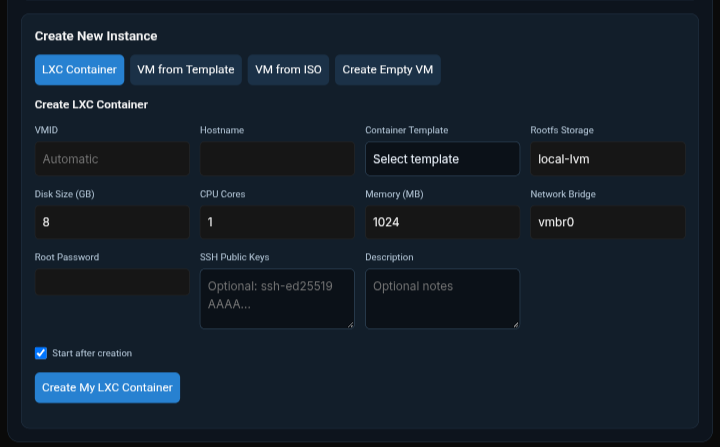
Overview & Details
Description
By Osiris Simmons (Osiris83)
urZONE PVE Core is the engine behind self-service cloud management on WordPress. It contains the Proxmox API connection, plans, ownership of instances, the demo, the REST routes and the renderer that draws the panel your customers use. It registers no shortcodes of its own; a plan plugin shows the panel by calling the renderer.
Core comes in two editions. The free edition is the full engine with built-in plan limits. Core Pro adds an admin page where you decide how many panels each plan gets. This post explains the difference so you can pick the right one.
What both editions include
Everything that makes urZONE PVE work is in both editions. The engine, the customer panel and the plan system are identical.
- The Proxmox API integration for containers and VMs, with live charts and status
- Plans (Starter, Business, Pro Reseller, Agency Reseller, Demo and Admin) tied to WordPress user roles
- Instance ownership, so customers only see and manage their own containers and VMs
- The public demo with its automatic cleanup
- Per-plan tools: Snapshot for every plan, plus Clone and Template for Pro, Agency, Demo and Admin
- Per-instance resource ceilings for cores, memory and disk
- Web shell support through the same wp-config.php settings
- Multisite support
What Pro adds: the plans admin page
Core Pro adds an urZONE Core menu to your WordPress admin, with a page called urZONE Core Plans. From there you choose how many PVE panels each plan includes: Starter, Business, Pro and Agency. A panel is one instance, so containers and VMs count together.
The page is built to make changes quick and safe:
- A stepper and number field for each plan, with limits from 1 to 100
- A live bar for each plan and a running total of combined capacity
- A “Changed” marker so you can see what you have edited before you save
- A one-click Reset to defaults button
- Changes apply immediately to every customer
- On multisite, the page lives in Network Admin and saves network-wide
Without Pro, plans use the built-in limits instead:
| Plan | Built-in panels |
|---|---|
| Starter | 1 |
| Business | 5 |
| Pro Reseller | 10 |
| Agency Reseller | 20 |
The Admin plan is always unlimited, and the Demo plan limit is set in wp-config.php in both editions.
Side-by-side comparison
| Feature | Core (Free) | Core Pro |
|---|---|---|
| Proxmox API engine, panel and live charts | Yes | Yes |
| Plans tied to user roles | Yes | Yes |
| Instance ownership | Yes | Yes |
| Demo with automatic cleanup | Yes | Yes |
| Snapshot, Clone and Template by plan | Yes | Yes |
| Resource ceilings per instance | Yes | Yes |
| Multisite support | Yes | Yes |
| Built-in plan limits (1 / 5 / 10 / 20) | Yes | Yes (as starting values) |
| urZONE Core Plans admin page | No | Yes |
| Change panels per plan from the dashboard | No | Yes |
| Reset to defaults button | No | Yes |
| Network-wide limits on multisite | No | Yes |
Which one should you choose?
Choose Free if the built-in limits suit your offering. You get the complete engine, so you can launch a hosting or lab service on WordPress with four ready-made plan sizes.
Choose Pro if you sell plans and want to set your own sizes, such as a Starter with 2 panels or an Agency with 50, without touching code. It is the better fit for resellers who adjust their offering as their business grows.
Developers: you are not locked out
Even on the free edition, developers can override the final limit in code using the urzone_pve_plan_limit filter, for example to tie limits to a membership plugin. Pro simply gives you a friendly screen for the common case.
Before you install
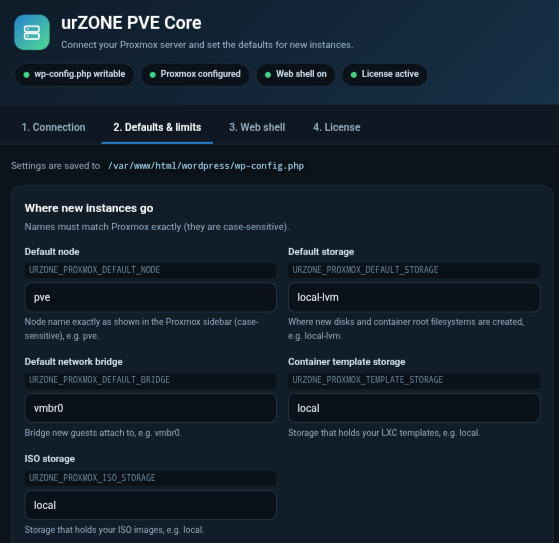
Install only one edition of Core at a time, since they share the same functions. Core pairs with urZONE PVE Settings, which handles your Proxmox connection and defaults, so you can configure everything from the WordPress admin.
Download urZONE PVE Core
Use the button below to open the download destination.
Similar Downloads You May Like
More downloads from the catalog.

One window.More possibilities.Free vs Pro.
THE OVERVIEWYour site, with a window into another.urZONE Mirror shows another website (or a page of your own site)…
urZONE PVE Settings
Description By Osiris Simmons (Osiris83) If you run Proxmox VE behind WordPress with urZONE PVE Core, you need somewhere…
 v1.2.0
urZONE Cookie Consent
Introducing urZONE Cookie Consent: a Friendly Cookie Banner for WordPress Most cookie banners get in the way. They cover…